Screen streaming over USB. Sub-10ms latency. Plug-and-play
Get Nomad ScreenA second monitor that was already in your bag.
Nomad Screen extends or mirrors your Mac display directly via USB. Same cable you already own.
Why Nomad Display?
Under 10 milliseconds on average. Other apps hit 400–500ms — you feel it.
USB-C means lower latency and simultaneous charging. Your tablet charges while you work. No battery wasted. No network configuration, no pairing codes, no router dependency.
Not mirroring. A true second screen — like plugging in an external monitor, except it's your tablet.
Flip the tablet and the display follows. Use it landscape or portrait just by turning it in your hand — perfect for reading, code, or timelines.
Match your tablet's native resolution or adjust for optimal quality. Works with low DPI displays and every aspect ratio too.
From Low power 30fps 1Mbps to High quality 60fps 20mbps to adapt your needs.
How it works
Launch Nomad Screen on your Mac.
Plug in your USB-C cable between Mac and Android.
The Android app opens automatically if configured, and your screen appears instantly.
Automation
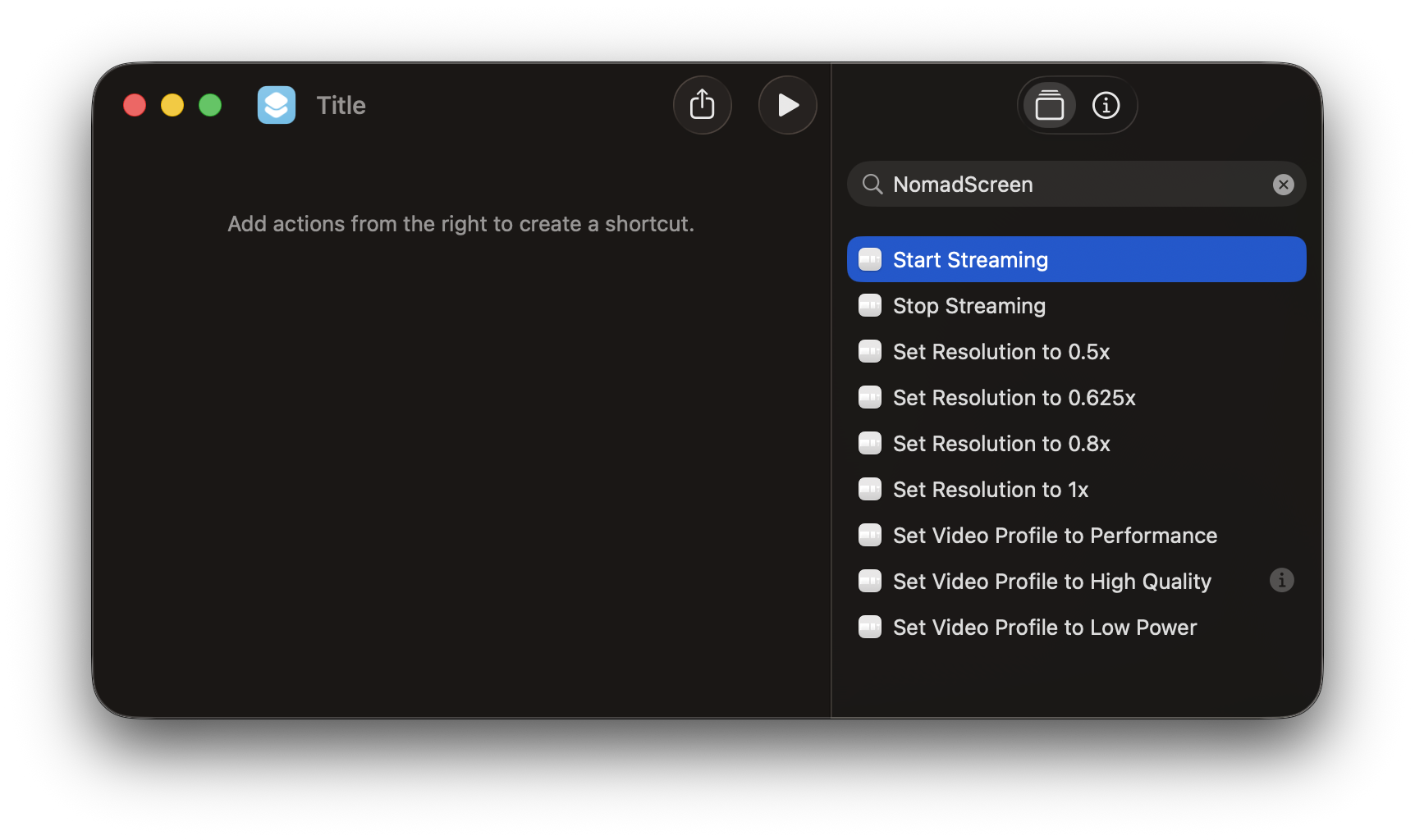
DualTab exposes a full set of native Shortcuts actions — so you can automate your second screen however you like. Start streaming when you plug in. Switch resolution with a hotkey. Set a video profile for your workflow. All without touching the app.
Combine with other Shortcuts on your Mac or iPad for seamless focus modes, desk setups, or presentation flows.
Mac app is free. Android is a one-time purchase. No subscription, no account needed.
macOS 13+ · Android 9+ · USB cable required
First time?
Because this app isn't downloaded from the App Store, your Mac will block it the first time.
FAQ
Apps outside the App Store are blocked by default on macOS as a security measure. This isn't a quirk — it's a protective barrier that ensures no background software can run without your explicit permission. Nomad Screen is built with this boundary in mind: it only activates when you start a session, and it never runs background services. You'll only see this prompt once.
To create a virtual display that your Mac recognizes as a second monitor, the app needs to capture what's on your screen — the same way a screenshot or screen recording works. This permission is required only for capturing the display content that gets streamed to your tablet. The app doesn't record, store, or transmit anything else. You can verify this yourself at any time in Activity Monitor — the app shows negligible memory usage and no outbound network activity.
Unlike HDMI cables or standard AirPlay, Nomad Screen uses the Android Open Accessory (AOA) protocol over USB. This requires a companion app on your Android device to handle receiving the video stream, managing the USB connection, and rendering frames to your tablet's display. The Android app is purpose-built for this — it's lightweight, runs only when connected, and handles the heavy lifting that your Mac app sends over the wire.
The app is intentionally designed to give the best latency and quality over cable. USB-C enables consistent throughput that Wi-Fi simply can't match — no interference, no compression artifacts, no dropped frames when your network gets busy. Most wireless screen streaming apps struggle with stability and lag. Nomad Screen prioritizes a reliable, responsive experience, and cable is the only way we can guarantee sub-10ms latency.
Improvements and bug fixes are always on the roadmap. New features are carefully considered — Nomad Screen operates on a one-time payment philosophy, not a subscription model, so we build only what genuinely improves the core experience rather than chasing novelty. Minimum permissions, stability, and reliability are the top priorities.
Touch input is on the roadmap, but only when it's stable enough to meet our standards. Other apps offer this feature, but it tends to be laggy and inconsistent — we won't ship something that feels broken. The goal is Sidecar-level quality without an iPad. When it works perfectly, you'll have a second display you can actually write and draw on, not just glance at.